
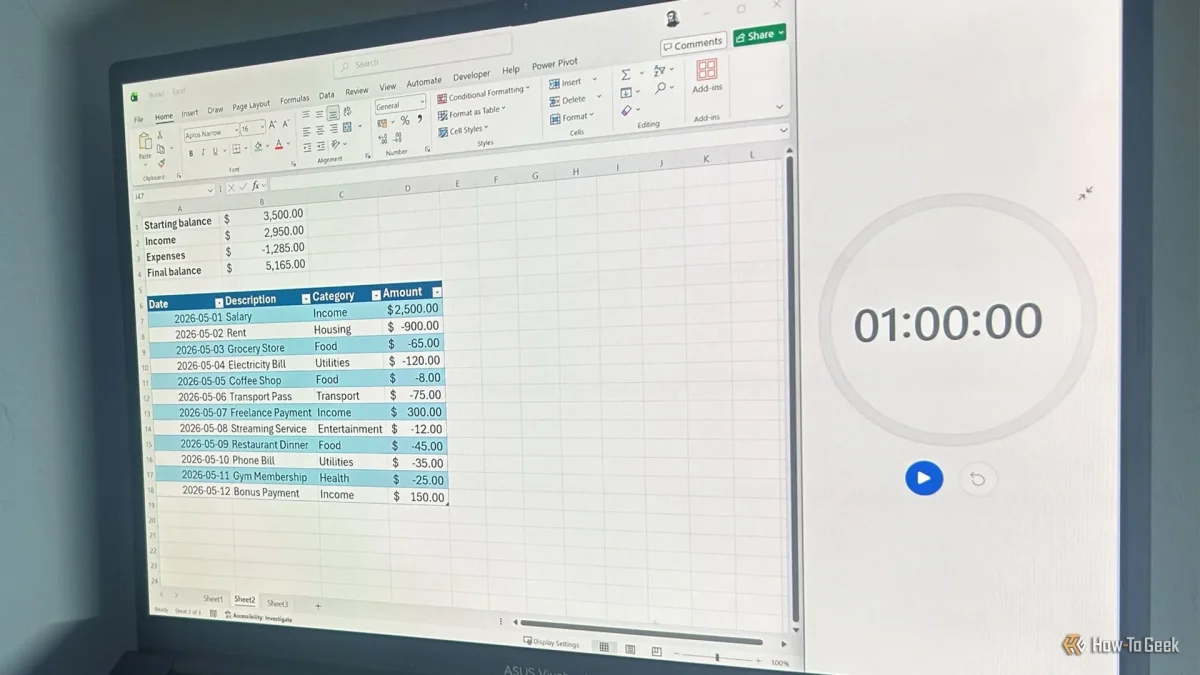

Creating a personal budget tracker in Excel can be done efficiently, allowing users to manage their finances effectively. To begin, ensure that your dataset includes a header row, as this is essential for converting data into tables within the program.
Start by establishing a transaction table, labeling columns such as Date, Description, Category, and Amount. As you fill in your transactions, record income as positive figures and expenses as negative values. By converting this range into a table named Transactions, you set the stage for automatic updates to your financial overview.
To summarize your financial position, create a summary section at the top of your sheet. Input formulas to calculate your starting balance, income, and expenses, which will allow your final balance to update dynamically with each new transaction added. For ongoing tracking, duplicate your sheet monthly to maintain an organized history of spending without losing past data.
Access to Microsoft 365 provides tools like Excel across multiple devices, complemented by a free trial and additional features, including 1 TB of OneDrive storage for seamless file management.