
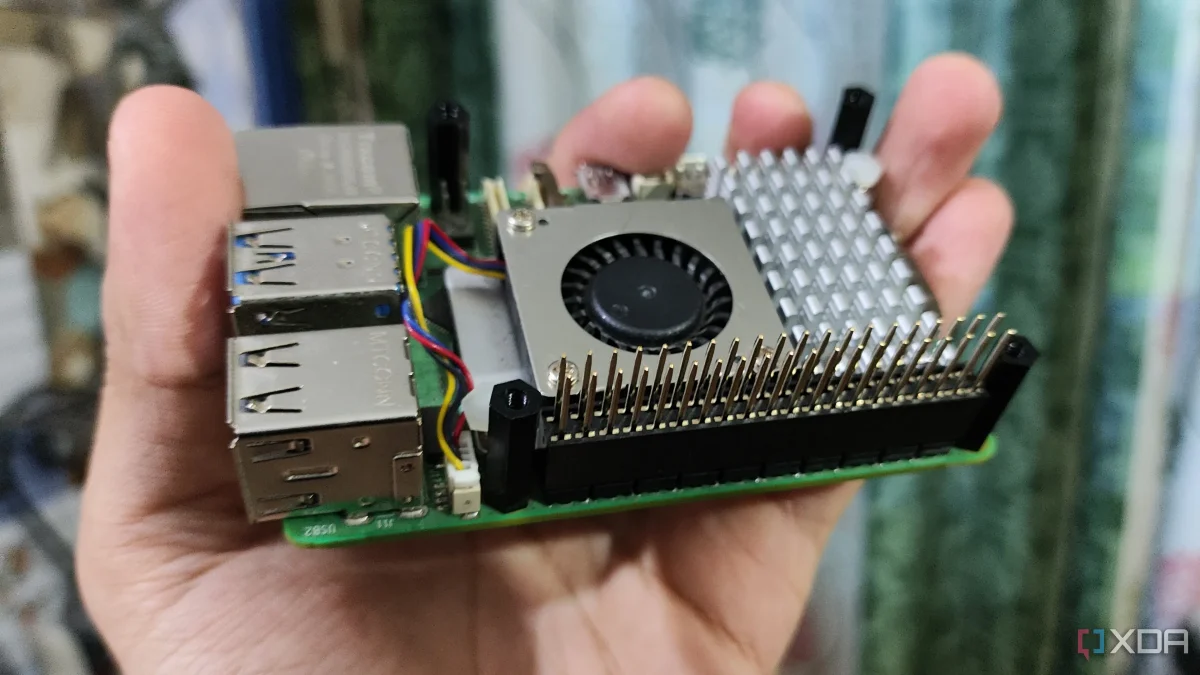

Raspberry Pi users face performance issues as thermal throttling goes unnoticed

Raspberry Pi users face performance issues as thermal throttling goes unnoticed

Thermal throttling in Raspberry Pi devices can cause unexpected slowdowns during peak usage, affecting performance without clear warnings. Understanding this can improve reliability.

NeboAI I summarize the news with data, figures and context
IN 30 SECONDS

IN 1 SENTENCE

SENTIMENT
Neutral

𒀭
NeboAI is working, please wait...
Preparing detailed analysis
Quick summary completed
Extracting data, figures and quotes...
Identifying key players and context
DETAILED ANALYSIS
SHARE

NeboAI produces automated editions of journalistic texts in the form of summaries and analyses. Its experimental results are based on artificial intelligence. As an AI edition, texts may occasionally contain errors, omissions, incorrect data relationships and other unforeseen inaccuracies. We recommend verifying the content.

Performance issues with the Raspberry Pi are often attributed to various factors, but thermal throttling is a significant, yet subtle, contributor. This phenomenon occurs when the device reduces its clock speed to manage heat, resulting in lagging performance that can be mistaken for software issues. Users might not notice the decline in responsiveness, especially if the Pi is tucked away in a case or behind a display.

This throttling effect typically becomes apparent during resource-intensive tasks. For instance, media servers may operate smoothly until they are engaged in library scans or metadata updates, at which point the device can slow significantly. Additionally, busy moments, such as image pulls or database cleanups, can cause notable performance dips that go unnoticed until users experience random slowness.

Because thermal throttling can be misinterpreted as problems with SD cards, USB storage, or network issues, users may overlook heat as a cause. A temporary reboot might restore speed, leading to the assumption that it is a software issue rather than an overheating concern. Recognizing and addressing thermal management could lead to a more consistent user experience.

Want to read the full article? Access the original article with all the details.
Read Original Article
TL;DR

This article is an original summary for informational purposes. Image credits and full coverage at the original source. · View Content Policy

Editorial
Editorial Staff

Our editorial team works around the clock to bring you the latest tech news, trends, and insights from the industry. We cover everything from artificial intelligence breakthroughs to startup funding rounds, gadget launches, and cybersecurity threats. Our mission is to keep you informed with accurate, timely, and relevant technology coverage.

Press Enter to search or ESC to close