
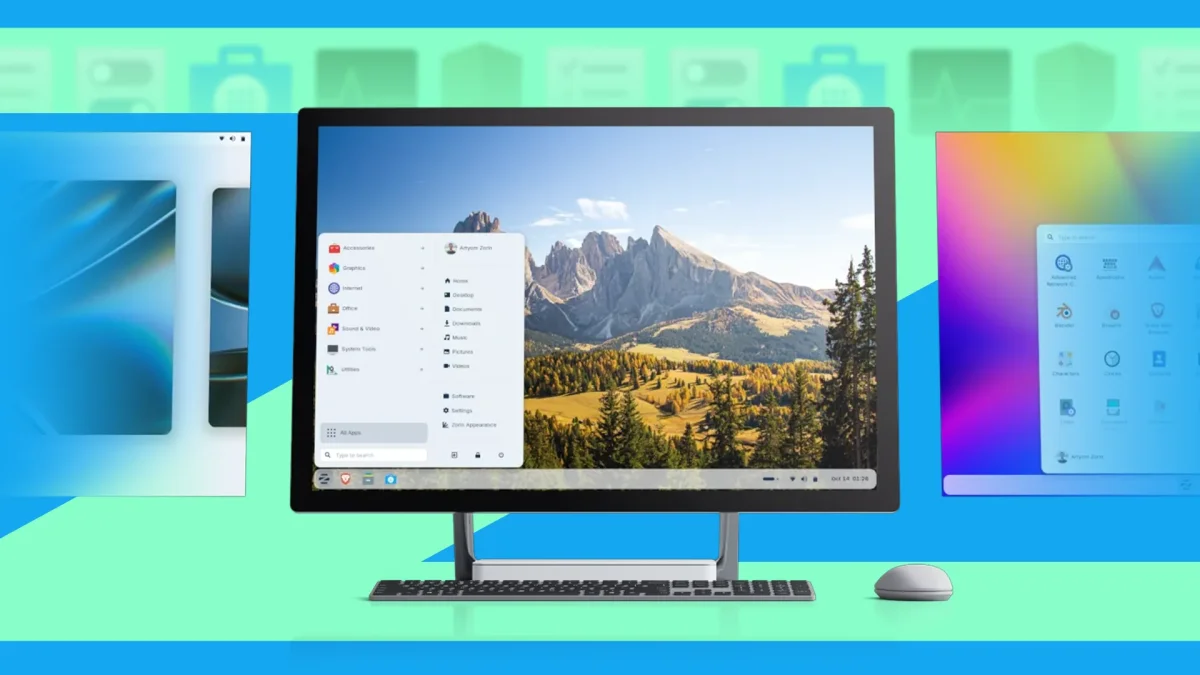

Zorin OS simplifies Windows transition for users with five unique features

Zorin OS simplifies Windows transition for users with five unique features

With 1.3 million users migrating to ZorinOS since the Windows 10 phase-out, this Linux alternative offers an intuitive interface and seamless app installation for ex-Windows users.

NeboAI I summarize the news with data, figures and context
IN 30 SECONDS

IN 1 SENTENCE

SENTIMENT
Neutral

𒀭
NeboAI is working, please wait...
Preparing detailed analysis
Quick summary completed
Extracting data, figures and quotes...
Identifying key players and context
DETAILED ANALYSIS
SHARE

NeboAI produces automated editions of journalistic texts in the form of summaries and analyses. Its experimental results are based on artificial intelligence. As an AI edition, texts may occasionally contain errors, omissions, incorrect data relationships and other unforeseen inaccuracies. We recommend verifying the content.

With the growing demand for alternatives following Microsoft's discontinuation of support for Windows 10, many users are turning to ZorinOS. This Linux distribution offers a user-friendly experience that closely resembles the familiar Windows interface, making it accessible for new users without a steep learning curve.

The operating system features a straightforward app store, allowing easy installation of both Linux and Windows applications with just a click. Additionally, it comes preloaded with the LibreOffice suite, providing essential productivity tools such as Writer and Calc. Users benefit from seamless background updates and one-click OS upgrades without the need for terminal commands.

Designed to cater to former Windows users, ZorinOS includes a customizable taskbar and Start menu, similar to Windows XP and Windows 7. The flexibility in desktop layouts and a well-organized settings application further enhance the user experience, ensuring that essential functions are easy to locate. Overall, ZorinOS positions itself as a compelling alternative for those with older PCs who are unable to upgrade to Windows 11.

Want to read the full article? Access the original article with all the details.
Read Original Article
TL;DR

This article is an original summary for informational purposes. Image credits and full coverage at the original source. · View Content Policy

Editorial
Editorial Staff

Our editorial team works around the clock to bring you the latest tech news, trends, and insights from the industry. We cover everything from artificial intelligence breakthroughs to startup funding rounds, gadget launches, and cybersecurity threats. Our mission is to keep you informed with accurate, timely, and relevant technology coverage.

Press Enter to search or ESC to close