
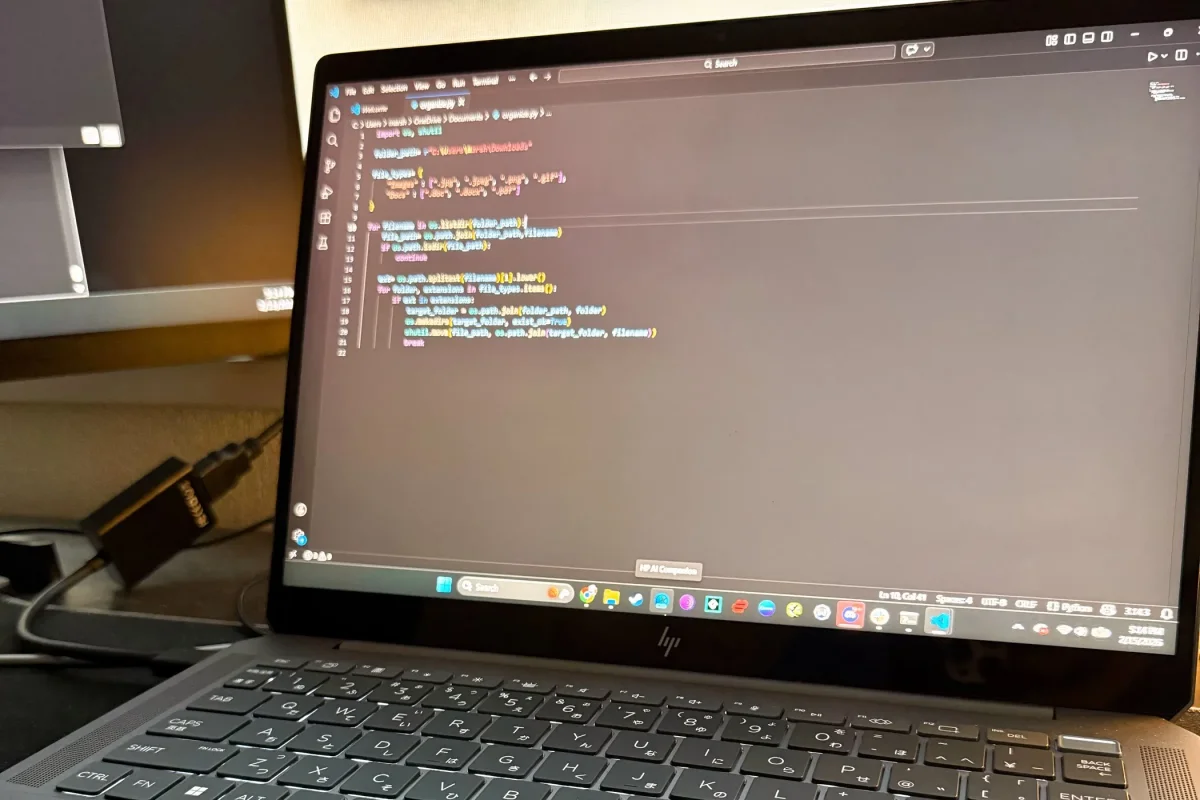

The challenge of managing a cluttered Downloads folder has been addressed with a straightforward solution using a Python script. The script automates the organization of files based on their extensions, effectively sorting them into designated category folders like Images, Documents, and Videos.
Initially, the Downloads folder was overwhelmed with various files including invoices, screenshots, and installers, leading to a chaotic experience when searching for specific documents. Manual organization attempts were short-lived, often reverting to disarray as new downloads accumulated.
The Python script scans the selected directory, identifying file types by their extensions. Familiar formats such as .jpg, .pdf, and .mp4 are automatically sorted into the appropriate folders. Any unknown file types are placed into a fallback folder, ensuring that no files are neglected. This method proves effective as it caters to the predictable nature of downloaded files, facilitating a more streamlined digital workspace.