
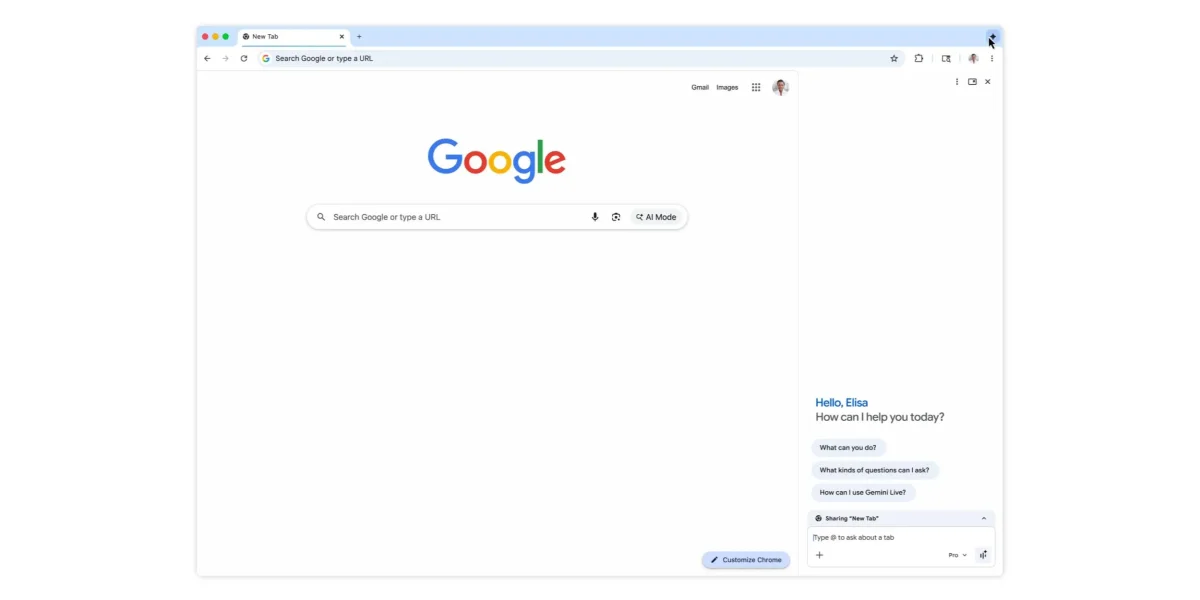

Gemini in Chrome has expanded its reach to Canada, India, and New Zealand, following its initial US launch last year and a significant update earlier this year. The browser tool now supports over 50 languages, enhancing accessibility for users in various regions.
This tool can be accessed easily through different methods, including the top-right corner of the browser, keyboard shortcuts, and the Mac menu bar or Windows system tray. It operates as a floating window or a side panel attached to the current tab, allowing users to interact with up to 10 open tabs.
Gemini in Chrome integrates with multiple Google applications, such as Calendar, Docs, and YouTube, with a notable feature enabling direct email composition via Gmail from the side panel. Additionally, Nano Banana 2 allows for image editing without the need for uploads or opening new tabs. Security measures include prompts for user confirmation before executing sensitive actions like sending emails or adding calendar events.