
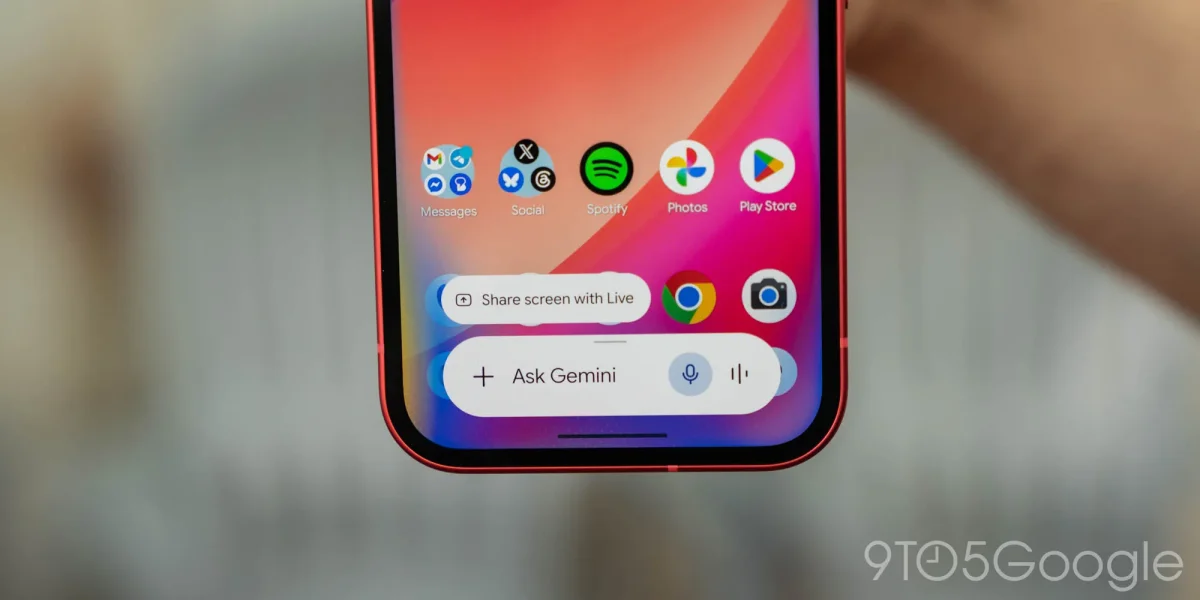

Gemini for Android enhances multitasking with innovative Bubbles feature for seamless chatting

Gemini for Android enhances multitasking with innovative Bubbles feature for seamless chatting

Gemini on Android now features Bubbles for seamless multitasking, allowing users to continue conversations without losing progress, enhancing user experience significantly.

NeboAI I summarize the news with data, figures and context
IN 30 SECONDS

IN 1 SENTENCE

SENTIMENT
Neutral

𒀭
NeboAI is working, please wait...
Preparing detailed analysis
Quick summary completed
Extracting data, figures and quotes...
Identifying key players and context
DETAILED ANALYSIS
SHARE

NeboAI produces automated editions of journalistic texts in the form of summaries and analyses. Its experimental results are based on artificial intelligence. As an AI edition, texts may occasionally contain errors, omissions, incorrect data relationships and other unforeseen inaccuracies. We recommend verifying the content.

The introduction of Bubbles in the Gemini overlay enhances multitasking capabilities for users on Android. This feature allows conversations to continue seamlessly while engaging in other tasks. By tapping a floating response, users can minimize Gemini into a bubble that displays the spark logo. Tapping the bubble reopens the full overlay, facilitating ongoing discussions without losing previous chat history.

Previously, users had to reopen the full application to continue conversations after closing the overlay. The new functionality mimics Gemini Live’s floating waveform circle, aimed at improving user experience. Additionally, with the release of Android 17, users can also bubble the main app for uninterrupted access.

Despite these advancements, reports indicate limited visibility of the Android 17 QPR1 Beta on various devices. Google is also addressing issues with Gemini, including problems with calls on Android and Android Auto. Upcoming features for Gemini include a new icon for macOS and integration with Google Business Profile, alongside enhancements like a hotkey screenshot shortcut.

Want to read the full article? Access the original article with all the details.
Read Original Article
TL;DR

This article is an original summary for informational purposes. Image credits and full coverage at the original source. · View Content Policy

Editorial
Editorial Staff

Our editorial team works around the clock to bring you the latest tech news, trends, and insights from the industry. We cover everything from artificial intelligence breakthroughs to startup funding rounds, gadget launches, and cybersecurity threats. Our mission is to keep you informed with accurate, timely, and relevant technology coverage.

Press Enter to search or ESC to close