

Apple's iOS 26.4 beta 2 reveals features that could reshape user experience

Apple's iOS 26.4 beta 2 reveals features that could reshape user experience

Apple's iOS 26.4 beta 2 introduces key features like a new Podcast splash screen for seamless video-audio switching and the ability to test encrypted RCS messaging.

NeboAI I summarize the news with data, figures and context
IN 30 SECONDS

IN 1 SENTENCE

SENTIMENT
Neutral

𒀭
NeboAI is working, please wait...
Preparing detailed analysis
Quick summary completed
Extracting data, figures and quotes...
Identifying key players and context
DETAILED ANALYSIS
SHARE

NeboAI produces automated editions of journalistic texts in the form of summaries and analyses. Its experimental results are based on artificial intelligence. As an AI edition, texts may occasionally contain errors, omissions, incorrect data relationships and other unforeseen inaccuracies. We recommend verifying the content.

The second beta version of iOS 26.4 has introduced several noteworthy features, though it does not include the highly anticipated Google Gemini-powered Siri enhancements. Among the updates, Apple has added a new splash screen for the Podcast app, showcasing a video podcast functionality that allows for seamless transitions between video and audio content, along with offline playback options.

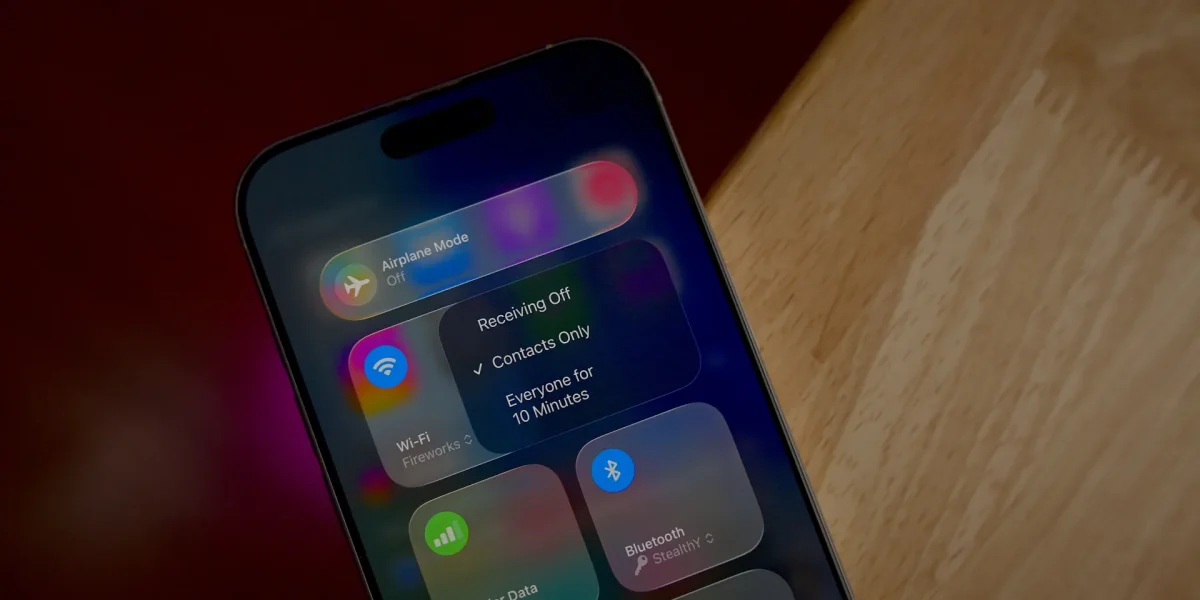
Changes in the user interface are also prominent, with the Games app's search bar now positioned at the top, resembling the earlier adjustments made in the App Store. Dark mode users will notice a new dark tint in the Control Center context menus, replacing the previous bright white design.

Additionally, the latest beta reveals a new accessibility feature under Settings, which includes a Reduce Highlighting Effects option, though its specific impact on the interface remains unclear. Users can also now send and receive encrypted RCS messages, a feature that was first introduced in beta 1 but is fully functional in this update.

For a detailed look at these changes, viewers are encouraged to subscribe to 9to5Mac for further updates and walkthroughs.

Want to read the full article? Access the original article with all the details.
Read Original Article
TL;DR

This article is an original summary for informational purposes. Image credits and full coverage at the original source. · View Content Policy

Editorial
Editorial Staff

Our editorial team works around the clock to bring you the latest tech news, trends, and insights from the industry. We cover everything from artificial intelligence breakthroughs to startup funding rounds, gadget launches, and cybersecurity threats. Our mission is to keep you informed with accurate, timely, and relevant technology coverage.

Press Enter to search or ESC to close