
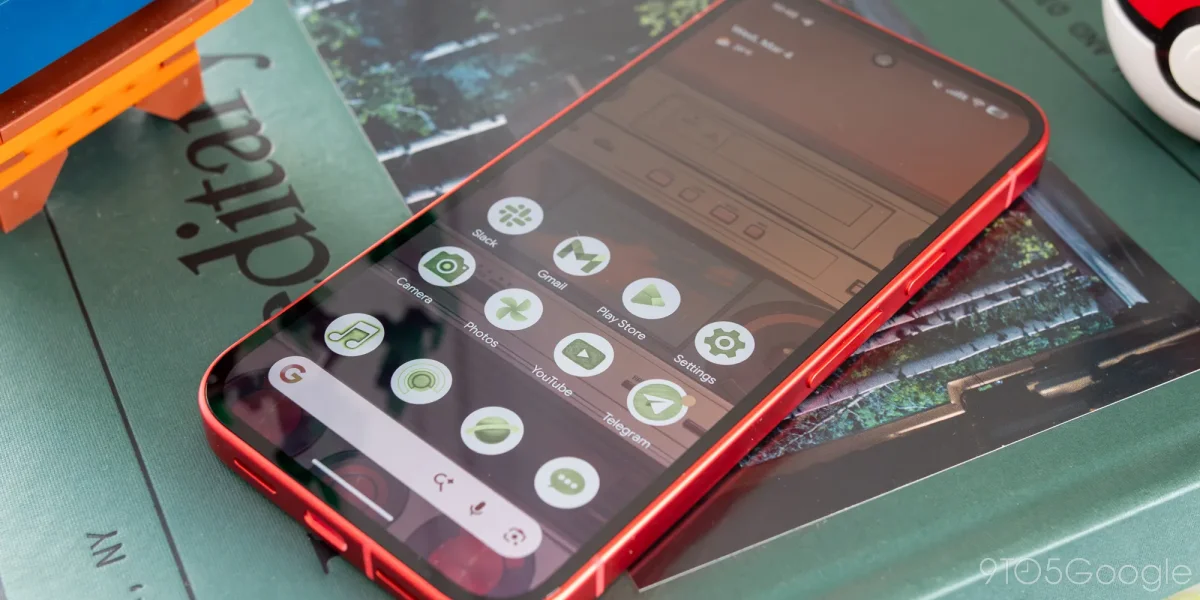

The recent update to Android 16 QPR3 has reverted the Pixel Launcher search bar to an earlier design, eliminating the previously introduced Material 3 Expressive features. This change consolidates all search functionalities into a single container, contrasting sharply with the prior layout that provided a cleaner and more organized appearance.
The previous search bar design, which included a pill-shaped background for the search elements, has been replaced. Users will now find the AI Mode shortcut positioned next to the microphone icon, creating a more cluttered interface with three icons positioned side-by-side.
Despite the design regression, a functional enhancement allows users to long-press the search bar to customize the AI Mode shortcut, including options like Live, Translate (text), and Weather, among others. This adjustment aligns the Pixel Launcher search bar more closely with the Google app's Search widget.
Notably, although this design appeared in the Android 17 Beta 1, it was rolled back in Beta 2. The presence of this layout in the stable Android 16 QPR3 indicates it may be a permanent change.