
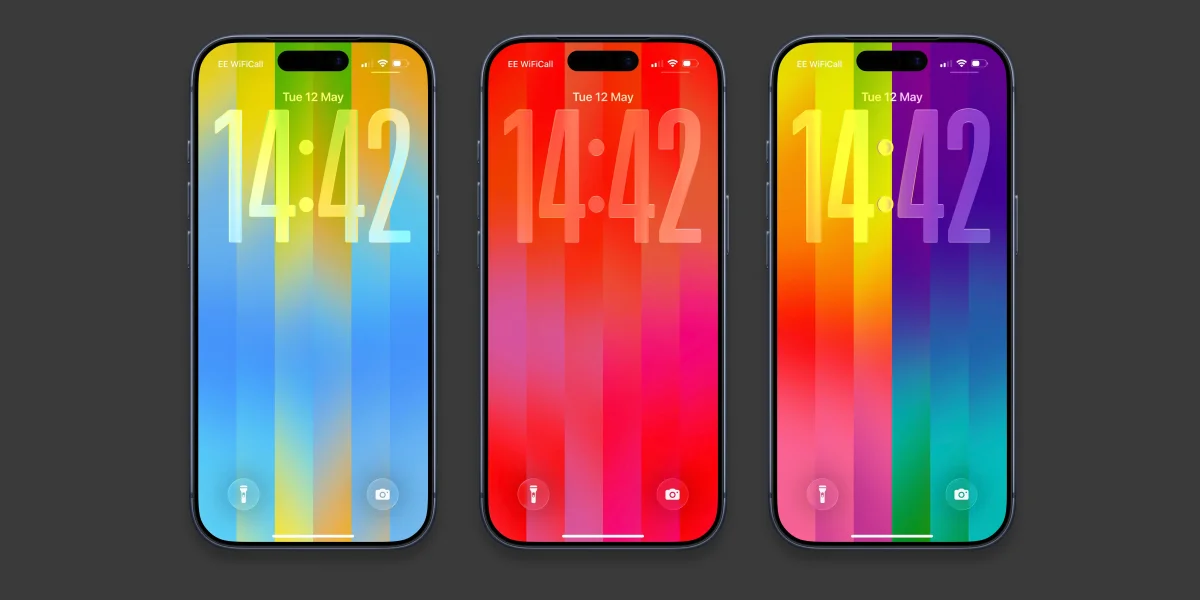

Apple's recent release of the iOS 26.5 update introduces the customizable Pride Luminance wallpaper for iPhones, allowing users to express their creativity. This free update became available for all compatible models earlier this week, enabling users to personalize their device with vibrant colors that honor the LGBTQ+ community.
To access the new wallpaper, users must first navigate to Settings and select Software Update. Following the update, users can long-press on their lock screen to enter the Wallpapers gallery. The new wallpaper can be found in the Pride section, where it can be downloaded if not already installed.
Once selected, users can explore approximately ten preset styles or opt for the 'Custom' option to personalize their palette with up to 12 colors. Additional customization options include altering widgets and changing the appearance of the time display, which defaults to the iOS 26 large glassy font style. A matching watch face can also be added to an Apple Watch by updating to watchOS 26.5 and selecting the Pride Luminance face from the Watch Face Gallery.