

Stitch AI Tool's New Features Position Google to Compete in UI Generation Market

Stitch AI Tool's New Features Position Google to Compete in UI Generation Market

Google's updated AI tool, Stitch, automates UI design, generating up to five screens simultaneously, posing a challenge to Figma as it streamlines development for complex projects.

NeboAI I summarize the news with data, figures and context
IN 30 SECONDS

IN 1 SENTENCE

SENTIMENT
Neutral

𒀭
NeboAI is working, please wait...
Preparing detailed analysis
Quick summary completed
Extracting data, figures and quotes...
Identifying key players and context
DETAILED ANALYSIS
SHARE

NeboAI produces automated editions of journalistic texts in the form of summaries and analyses. Its experimental results are based on artificial intelligence. As an AI edition, texts may occasionally contain errors, omissions, incorrect data relationships and other unforeseen inaccuracies. We recommend verifying the content.

Shares of Figma Inc. fell over 4% following the announcement of an updated version of Stitch, an artificial intelligence tool from Google LLC aimed at generating user interfaces for various applications. This development raises concerns about potential disruption in the market for user interface design, where Figma is a key player.

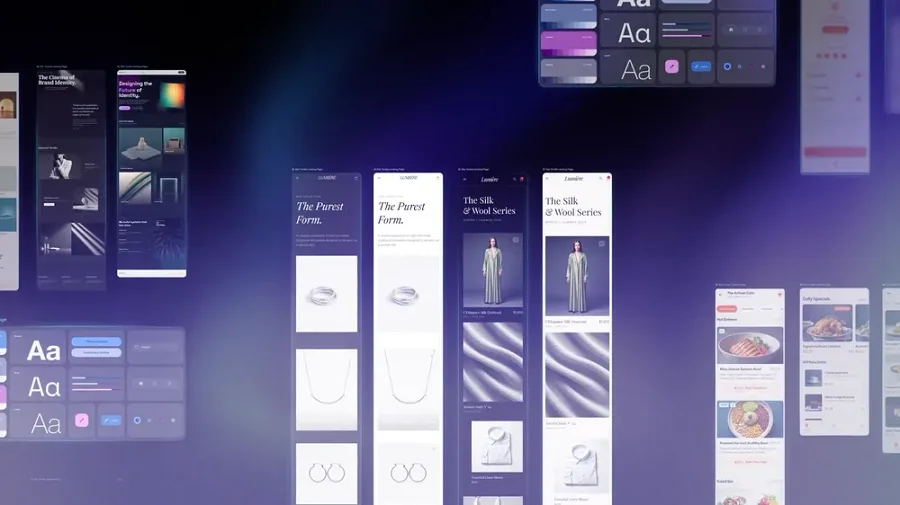
The latest iteration of Stitch enhances the user experience with its “AI-native, infinite canvas,” enabling users to manage multiple visual assets simultaneously. Developers can now create code for up to five interface sections at once, a significant upgrade from the single-screen capability of the initial version launched last May. This tool is particularly useful for complex projects, such as e-commerce platforms, where multiple screens may need to be designed concurrently.

Furthermore, the new “Play” button allows users to simulate navigation through the generated screens, streamlining the design and testing process. As noted by Josh Woodward, vice president of Google Labs, the tool offers a faster way to stitch screens together and preview app flows. Adjustments can be made easily through natural language prompts or voice commands, making the interface design process more intuitive.

Want to read the full article? Access the original article with all the details.
Read Original Article
TL;DR

This article is an original summary for informational purposes. Image credits and full coverage at the original source. · View Content Policy

Editorial
Editorial Staff

Our editorial team works around the clock to bring you the latest tech news, trends, and insights from the industry. We cover everything from artificial intelligence breakthroughs to startup funding rounds, gadget launches, and cybersecurity threats. Our mission is to keep you informed with accurate, timely, and relevant technology coverage.

Press Enter to search or ESC to close