
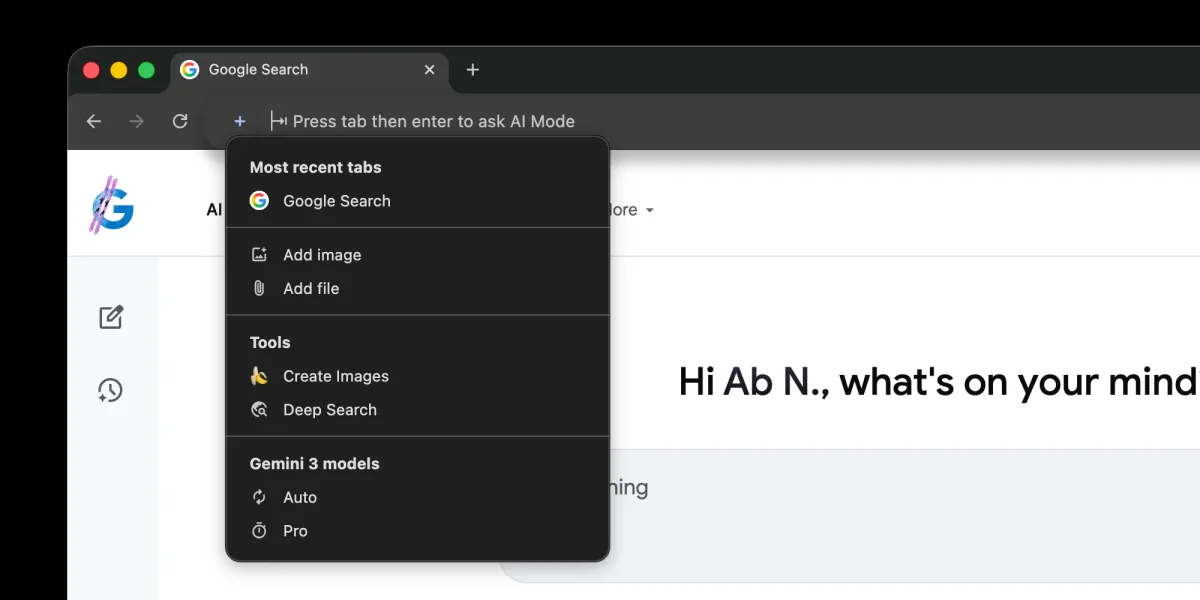

The latest update to Google Chrome's desktop browser introduces enhanced AI Mode features directly within the address bar. This update, seen in version 145, replaces the previous button integration with a new ‘plus’ menu, mirroring functionalities found on google.com/ai.
One significant addition is the “Most recent tabs” feature, which allows users to interact with open pages through AI Mode. This enables functionalities such as summarizing content and posing questions about the current web pages. When a user selects an option, the address bar transforms into a prompt box, providing suggestions like “Ask anything” and “Research anything.”
Furthermore, the update has incorporated “Canvas” as a new tool in the ‘plus’ menu, expanding the capabilities available to users. For those wanting to modify their experience, right-clicking the address bar allows the option to disable the “Always Show AI Mode Shortcuts” feature.