
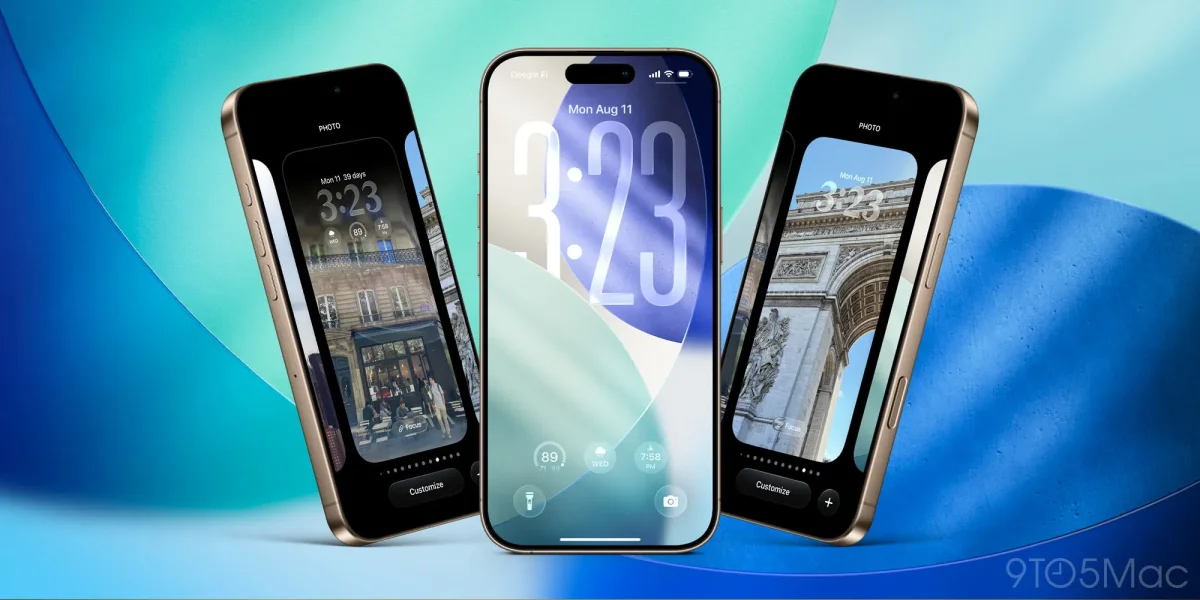

The iOS 26 updates have introduced enhanced customization features for the new Liquid Glass design, with version 26.1 and 26.2 rolling out new tools for users. Two distinct versions of Liquid Glass are available: Clear and Tinted. Users can easily compare these options in the Settings under Display & Brightness.
The Clear design offers a more modern aesthetic with transparent UI elements, while the Tinted version maintains a classic feel reminiscent of iOS 18. Users are encouraged to experiment with both styles to find their preferred look. Additionally, the Lock Screen clock can now be customized using Liquid Glass; by long-pressing the wallpaper and selecting ‘Customize,’ users can adjust the clock’s design to their liking.
Once the ‘Glass’ option is chosen, a slider allows the clock's transparency to be modified, and users can enlarge the clock by adjusting its size using the dragger tool. These features aim to enhance personalization for iPhone users in iOS 26.