

Hypertension Alerts in watchOS 26: A Game Changer for Apple Watch Users

Hypertension Alerts in watchOS 26: A Game Changer for Apple Watch Users

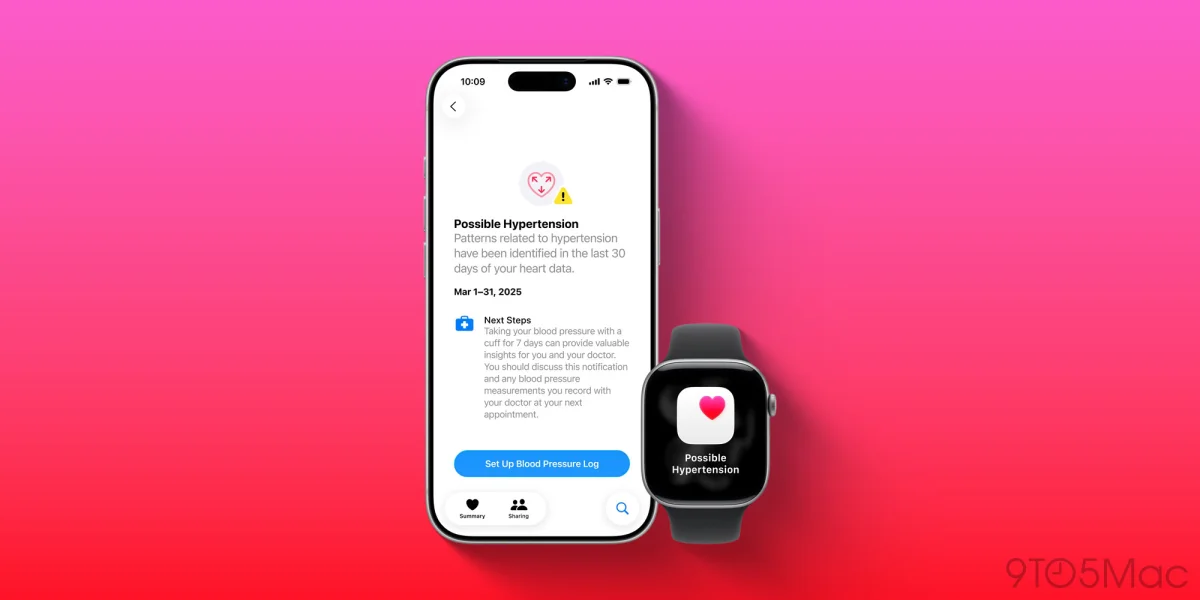
watchOS 26 enables hypertension notifications for select Apple Watch models, requiring an iPhone 11 or later. Activation takes 30 days of data collection—are you eligible?

NeboAI I summarize the news with data, figures and context
IN 30 SECONDS

IN 1 SENTENCE

SENTIMENT
Neutral

𒀭
NeboAI is working, please wait...
Preparing detailed analysis
Quick summary completed
Extracting data, figures and quotes...
Identifying key players and context
DETAILED ANALYSIS
SHARE

NeboAI produces automated editions of journalistic texts in the form of summaries and analyses. Its experimental results are based on artificial intelligence. As an AI edition, texts may occasionally contain errors, omissions, incorrect data relationships and other unforeseen inaccuracies. We recommend verifying the content.

Apple has expanded the capabilities of its watchOS 26 with a new feature aimed at detecting hypertension. This functionality is available not only on the latest models like the Apple Watch Ultra 3 and Series 11, but also on several previous generations.

Hypertension notifications can be activated on the Apple Watch Series 10, Series 9, and Ultra 2. To utilize this feature, users must own an iPhone 11 or newer, equipped with iOS 26. Additional prerequisites include enabling Wrist Detection and confirming that the user is at least 22 years old, not pregnant, and has no prior hypertension diagnosis.

Setting up the hypertension detection involves several steps within the Health app on the iPhone, including age confirmation and a review of health history. Users should note that the Apple Watch requires approximately 30 days to analyze data gathered by its optical heart sensor before it can issue notifications regarding hypertension patterns.

Want to read the full article? Access the original article with all the details.
Read Original Article
TL;DR

This article is an original summary for informational purposes. Image credits and full coverage at the original source. · View Content Policy

Editorial
Editorial Staff

Our editorial team works around the clock to bring you the latest tech news, trends, and insights from the industry. We cover everything from artificial intelligence breakthroughs to startup funding rounds, gadget launches, and cybersecurity threats. Our mission is to keep you informed with accurate, timely, and relevant technology coverage.

Press Enter to search or ESC to close